
Text Anchors
You can use the link selector to set an anchor link to a block located further down the page.
Due to the way links are encoded in the CMS, the syntax to use is slightly different depending on whether you are creating the link in a button or from text in TinyMCE, however the method of adding it is the same.
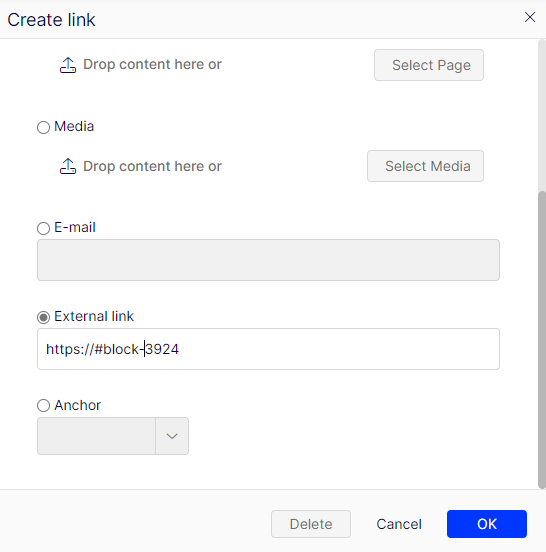
You should add #block-ID where the ID is the content ID of the block you want to link to.
The only exception to this is if you want to anchor to a block you have already set up to appear on the in-page-nav.
Instead of block-ID you should use the value you entered in the in-page-nav field on the block (minus spaces). For example "Supporting benefits" would become "supportingbenefits" and
| Adding to a CTA button | Adding to TinyMCE text | |
| Syntax to use | ../#block-ID | https://#block-ID |
| Block ID example | ../#block-123456 | https://#block-123456 |
| In-page-nav already set example | ../#supportingbenefits | https://#supportingbenefits |
Add this to the external link field when creating the link.
We cannot link to a specific piece of text within a block.
Please ignore the Anchor dropdown in the create link popup. Ths will only link to items within the same TinyMCE area, so is not useful for most applications.