
Modals and inline blocks
When setting a CTA you can set that link to any internal CMS page or to an external URL.
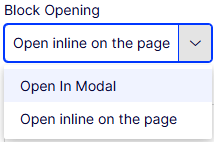
You also have the option to link to any contnet block that can be loaded into a main content area with the option to open that block in either a popup modal, or inline in the page directly below the existing block.
To do this, when creating a CTA, select the Block opening method, and set the content block you would like to load in the Block field.

Here are some examples of CTAs opening a modal & inline in the page:
Modal content block
If you would like to fearure more than one piece of content within your modal, or if you would like to shaw a tag at the top of the modal, you can create a modal content block