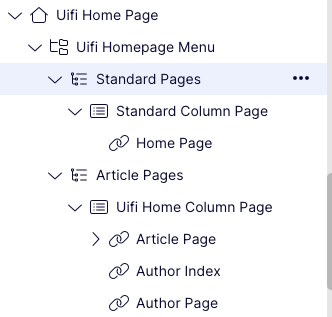
How to set up the site navigation
The navigation of a site is set up using a series of Navigation pages.
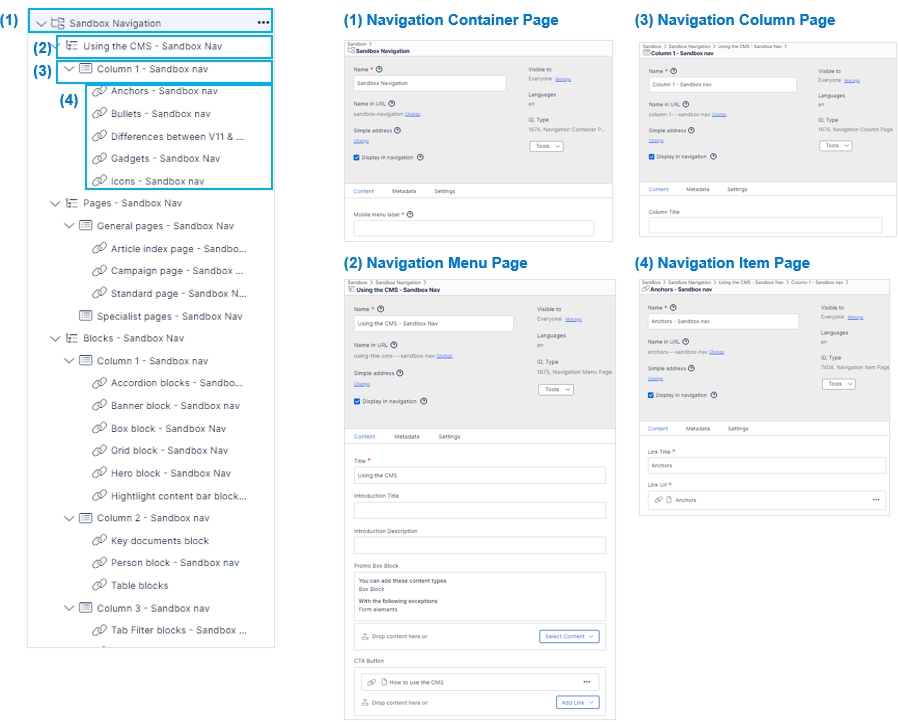
- The main navigation item would be set up as Navigation Container page
- The next level navigation would be set up using a Navigation Menu page
- The column items would be set up using a Navigation Column page (if there are three columns you will need to create three of these items). Please note the maximum amount of columns is four.
- The items in the column would be set up using a Navigation Item page.
The image below shows the steps above.
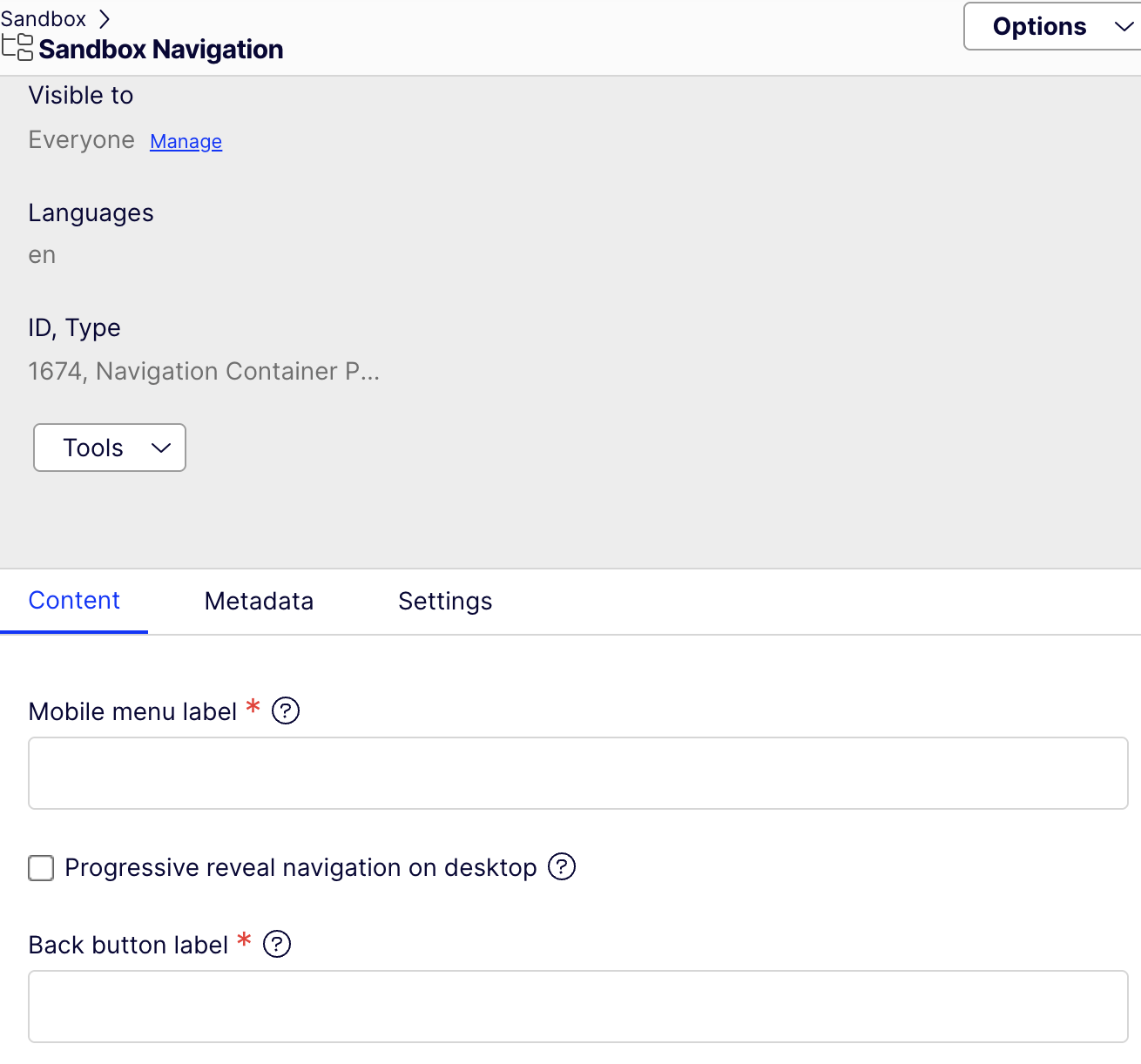
Progressive Reveal -
To enable progressive reveal go into the Navigation Container Page and within the content area there is a tick box to enable the Progressive Reveal on Desktop, and label fields for the mobile menu and also the back button
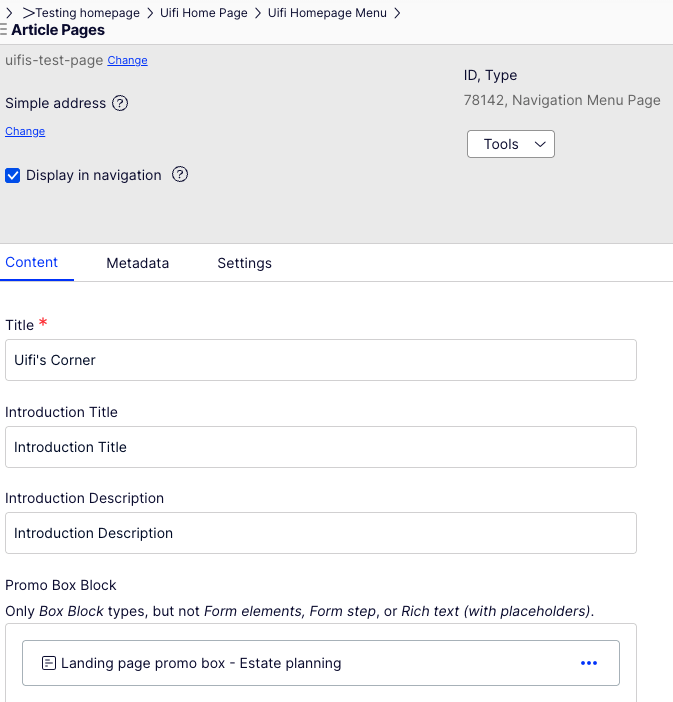
You can choose to have an optional promo box in a column which can be added within a Navigation Menu Page on the Promo Box Block field
On the Front End the page navigation will look like this
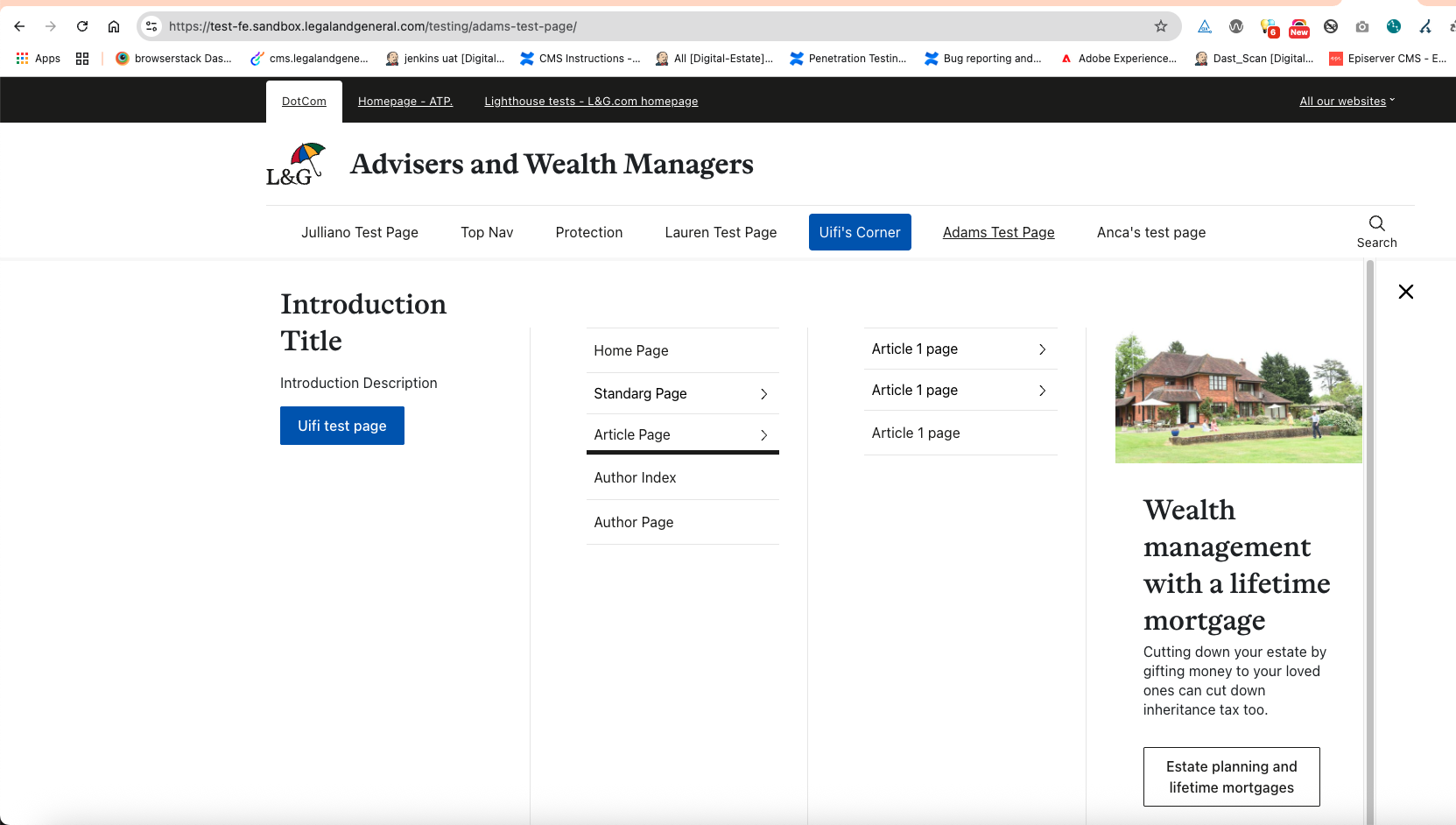
and in the cms it looks like this