Uploading images and documents
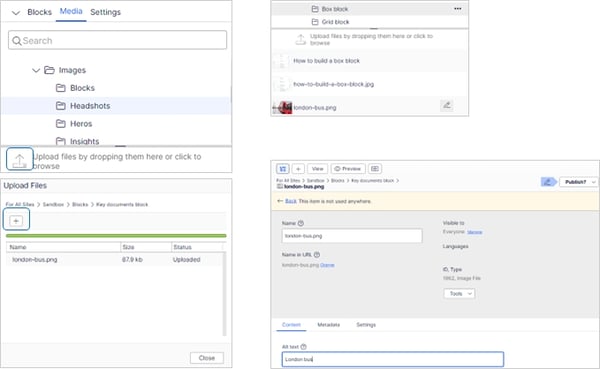
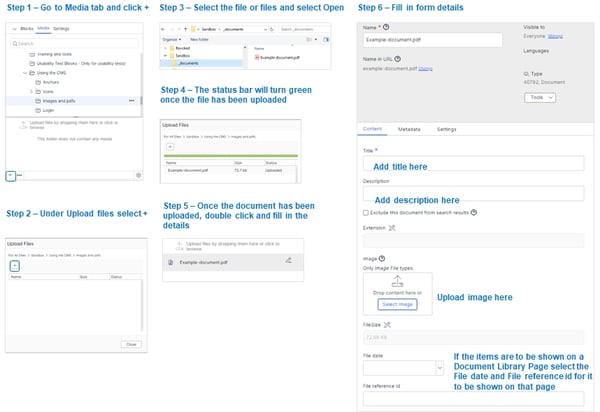
Images are uploaded under the Media tab by dragging the selecting images into the thumbnail area, or selecting the Upload files button.
This will open a window and by selecting the + icon that will open up another window where you locate your image and add (or will show the upload status if files are dragged).
The bar will turn green and the status will show Uploaded.
Close the window and go the Media tab and find your image and add the relevant mandatory and optional details of the file and then you can publish.
The process is the same for PDF files or other document types.
Note: on Images and MP4 files there is the ability to set a vertical and horizontal focus point.
This is used to keep a particular part of the image in view at all times depending on the area the image is displayed in and screen size where parts of the image may get cropped out of view.